Phone tag
They call. You are in a tour. You call back. They are at work. A two-minute change takes two days.
Honeydo gives your venue and your couples one shared place to talk and plan. Couples make their own changes, without calling or emailing you every time. They get freedom. Your team gets its time back.
Sound familiar?
Venues and couples plan by phone and email. It works, but it eats the week. Two more guests? A call. A meal change? An email. A new head count? Type it all in again.
They call. You are in a tour. You call back. They are at work. A two-minute change takes two days.
The latest guest count is in an email. Somewhere. Under the one about the linens, from three weeks ago.
Names, meals and tables get typed again and again. One list for you, one for the kitchen, one for the day.
The difference
How it works
Add the date, the spaces, the plan and the menu. That wedding now has one home, and your whole team can see it.
Venue teamNo account to set up. They open the link, fill in their event details, build their guest list and send their invitations.
CoupleEach guest says if they are coming and chooses a meal. Closer to the day, they can see their table too.
GuestsWho gets what
Your venue team
Still yours: your team sets the menu, the plan and the seating.
Your couples
No more: “Sorry to bother you again, but…”
Their guests
Private: each guest sees only their own table and seat.
Look inside
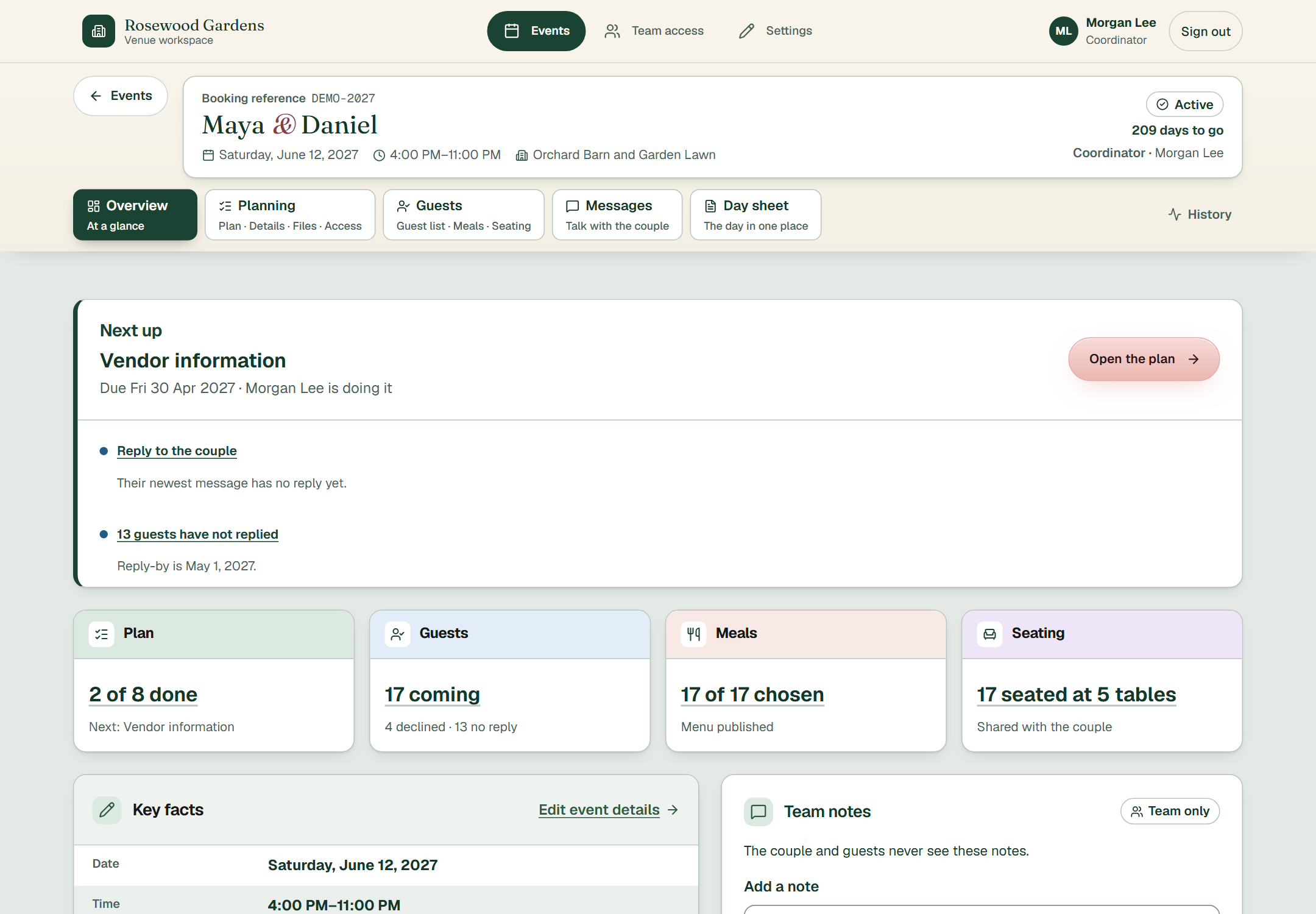
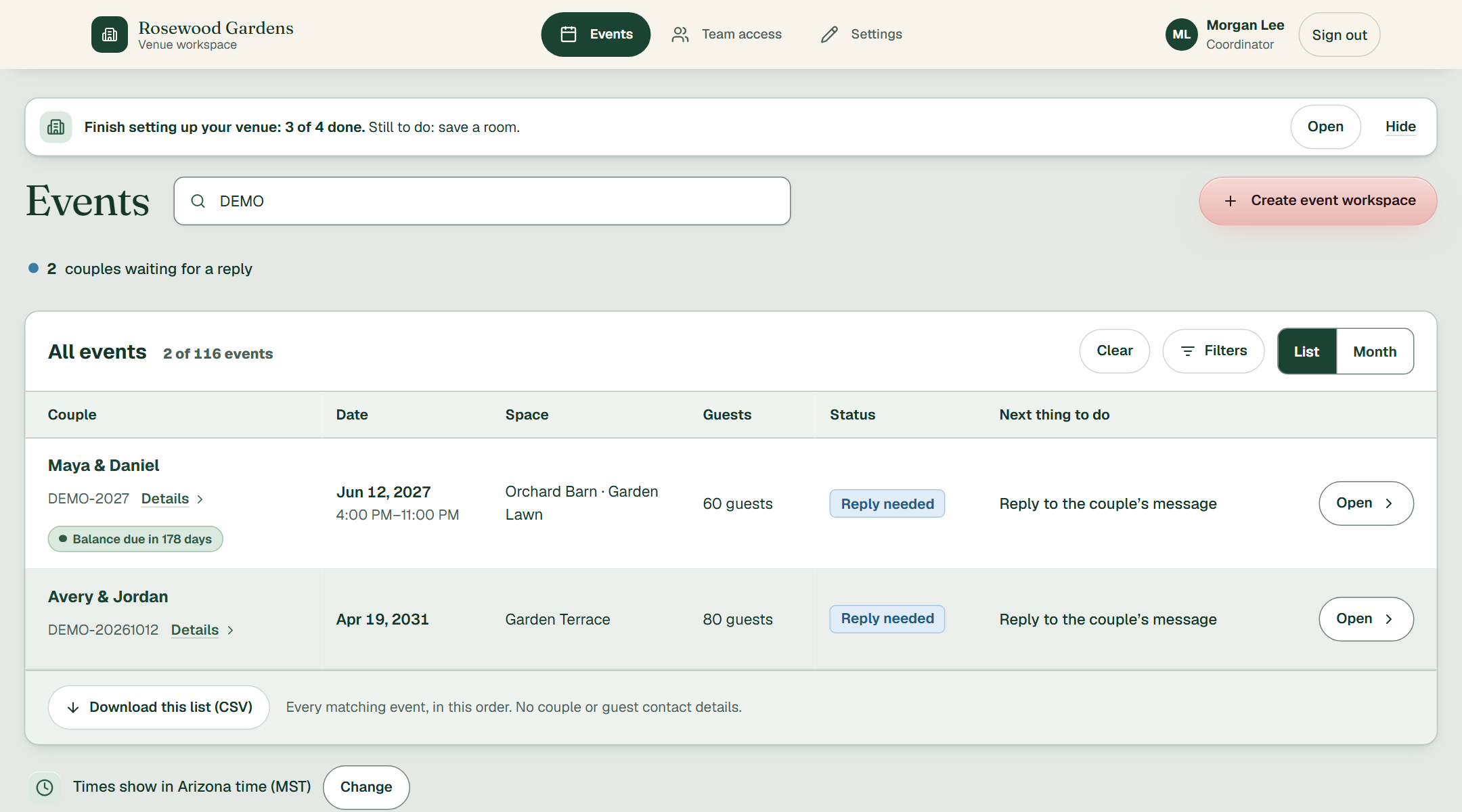
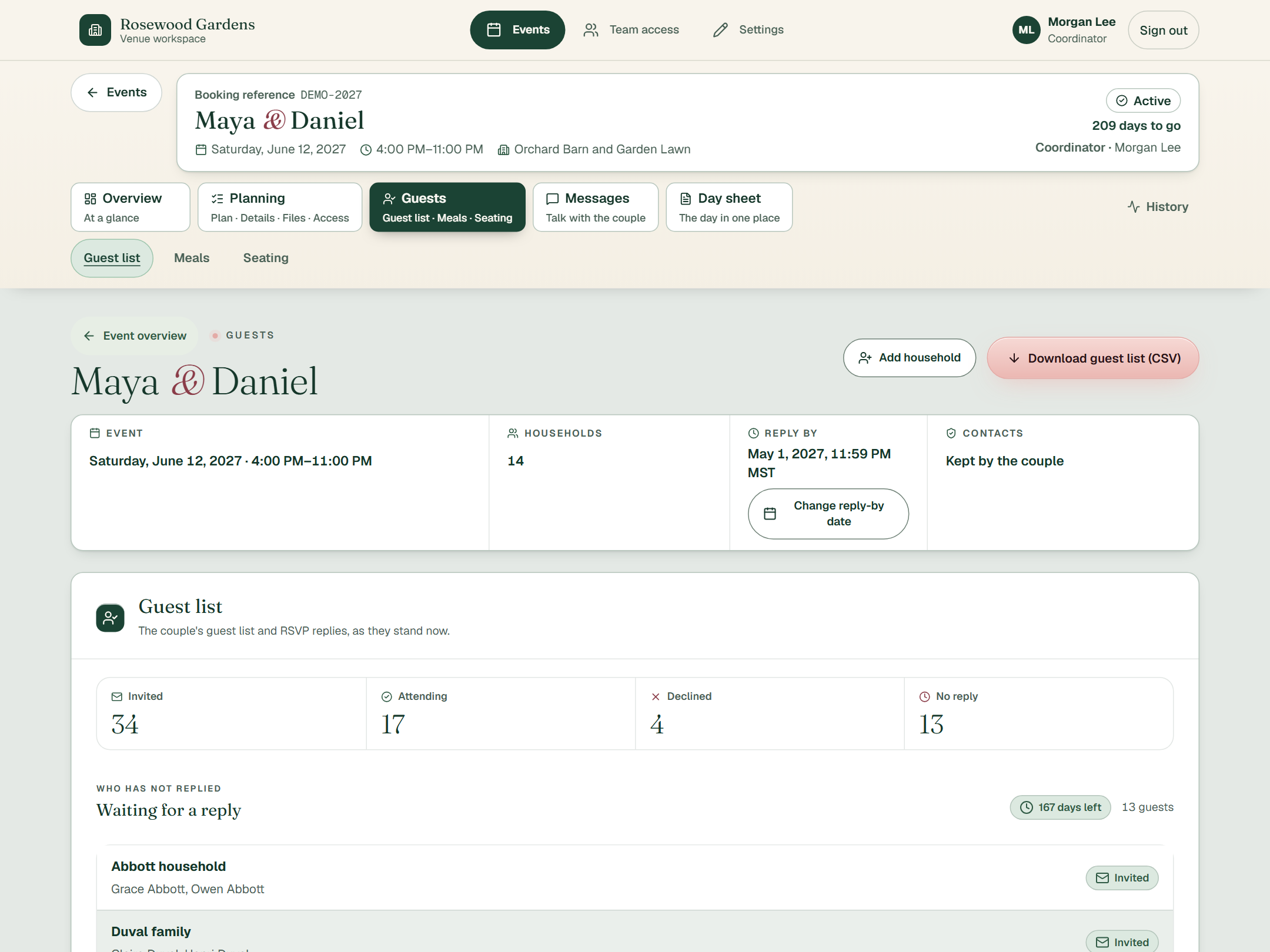
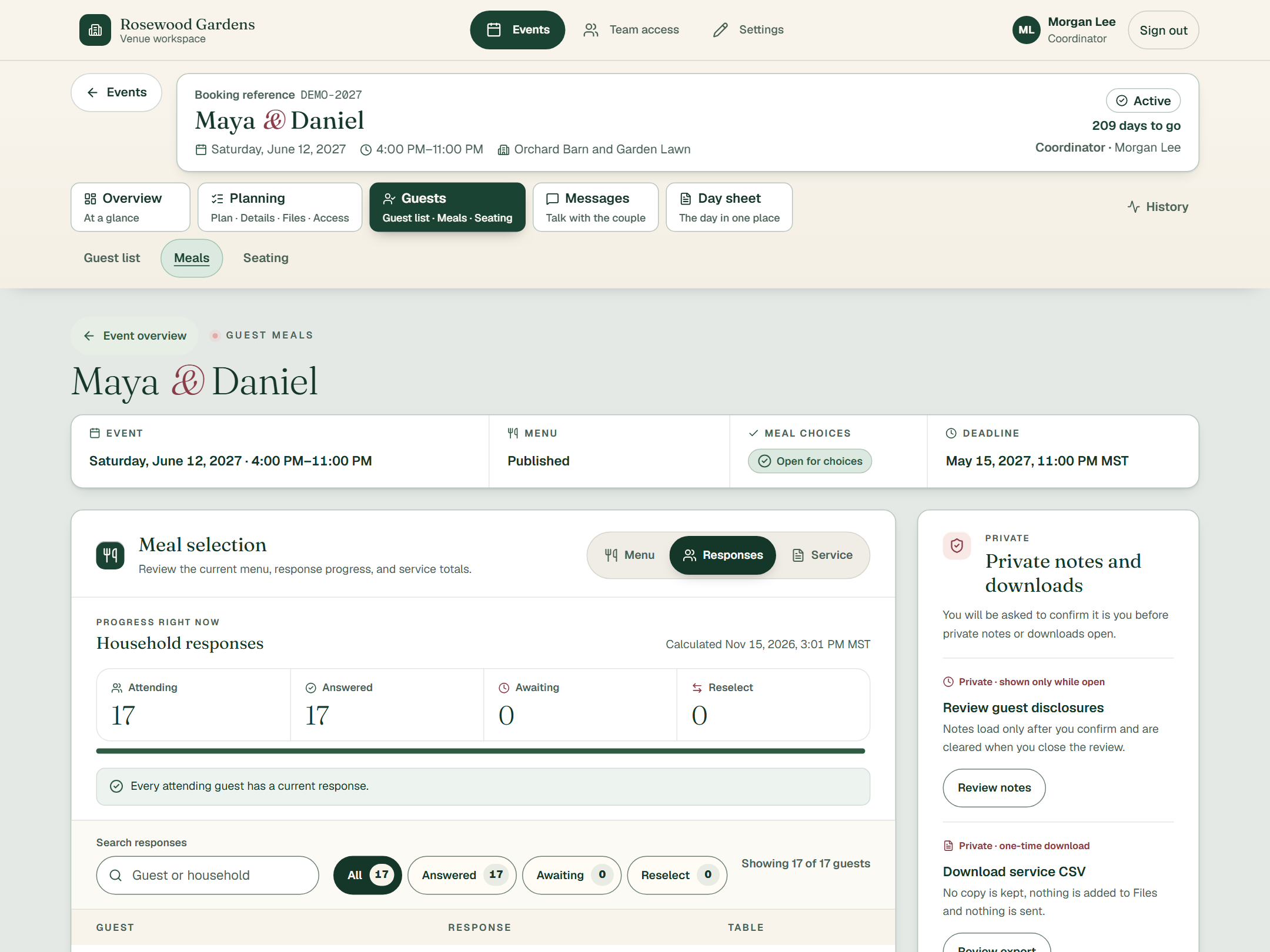
These are real Honeydo screens. The wedding is made up: Maya & Daniel, at a made-up venue called Rosewood Gardens.
Every wedding in one listEach row shows the date, the space, the guest count and the next thing to do. Search by couple, booking reference, space or date.
The couple keeps the guest listYou see it as it stands right now: who is invited, who is coming, who said no, and who has not replied yet.
Guests choose their own mealsYour team sets the menu. Guests choose from their own link. You see who has answered and who you are still waiting on.
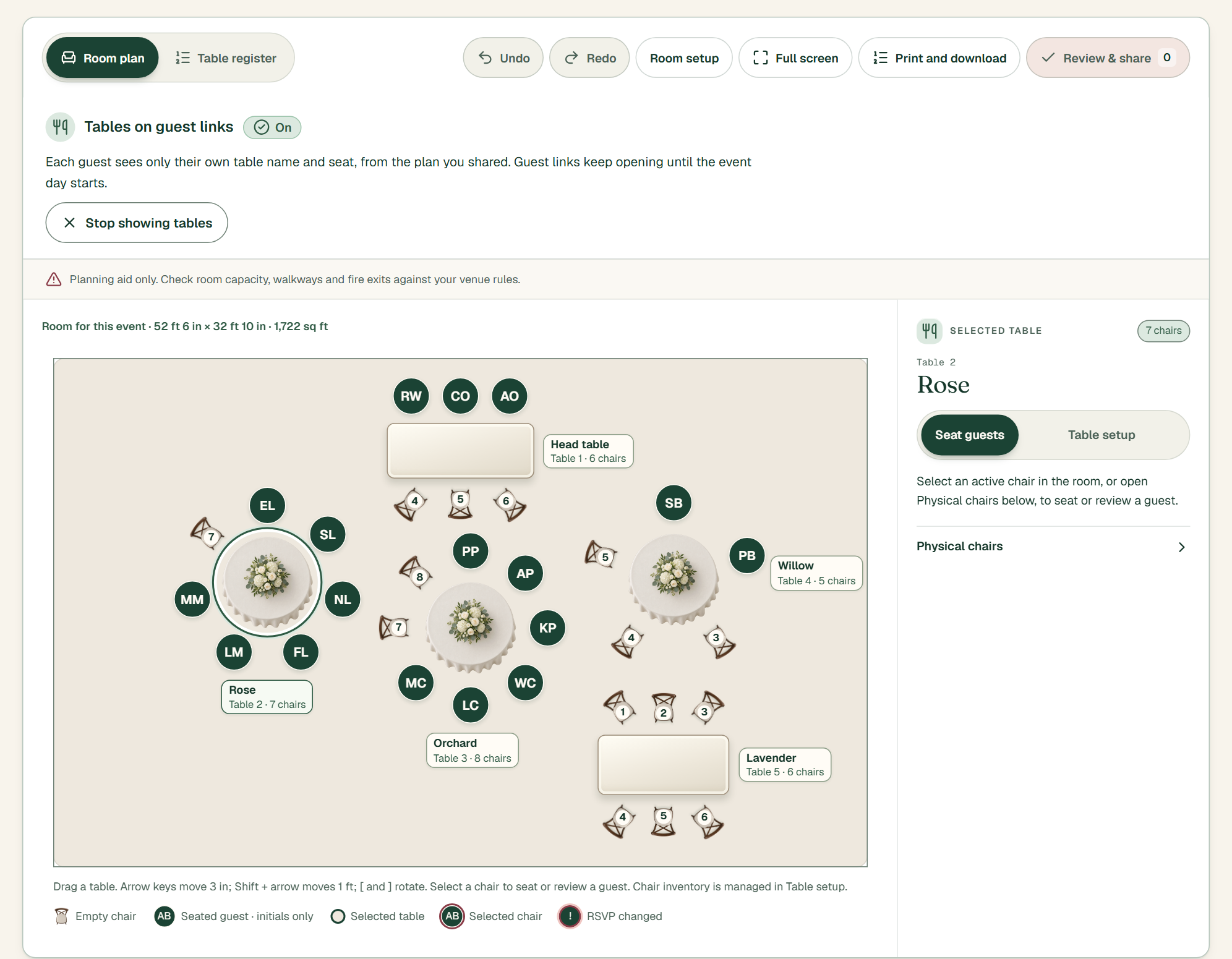
Tables and chairs, laid out in the roomArrange the room, seat the guests, then share the plan with the couple. Each guest sees only their own table and seat.
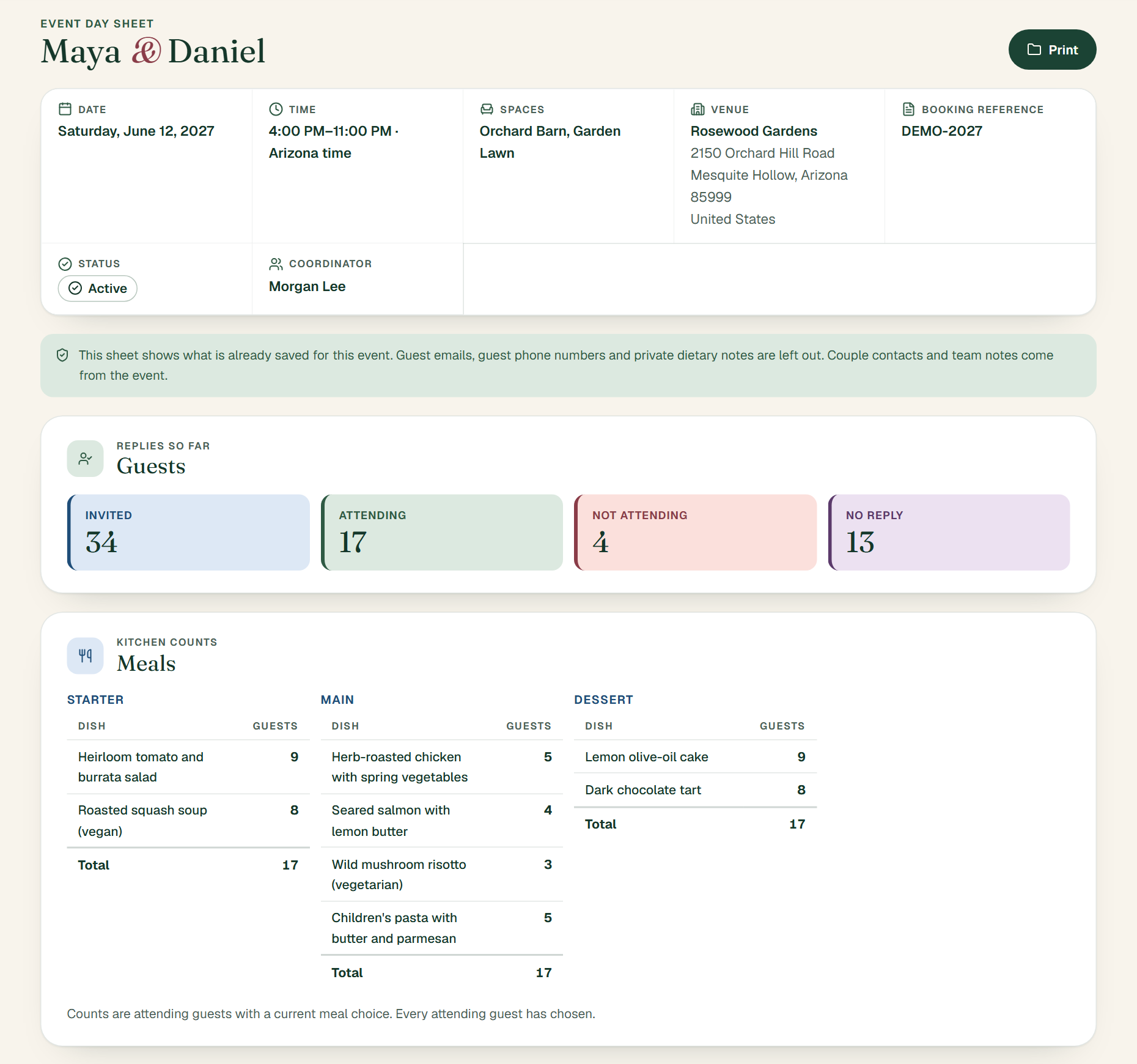
The whole day on one sheetDate, time, spaces, guest replies and kitchen counts, pulled together for you. Press Print and hand it out.
Not shown here yet: the couple’s page and the guests’ page. They are getting a fresh look, and we will walk you through them in a demo.
The day itself
Everything the couple and their guests entered is already in one place, added up and ready.
One day sheetTimes, spaces, plan steps, couple contacts and team notes. Print it for the whole team.
Kitchen countsEvery dish with its count, totalled by course. A kitchen file is ready to download.
TablesWho sits where, table by table, from the seating plan you shared.
Private stays privateGuest emails, phone numbers and private dietary notes are left off the printed sheet.
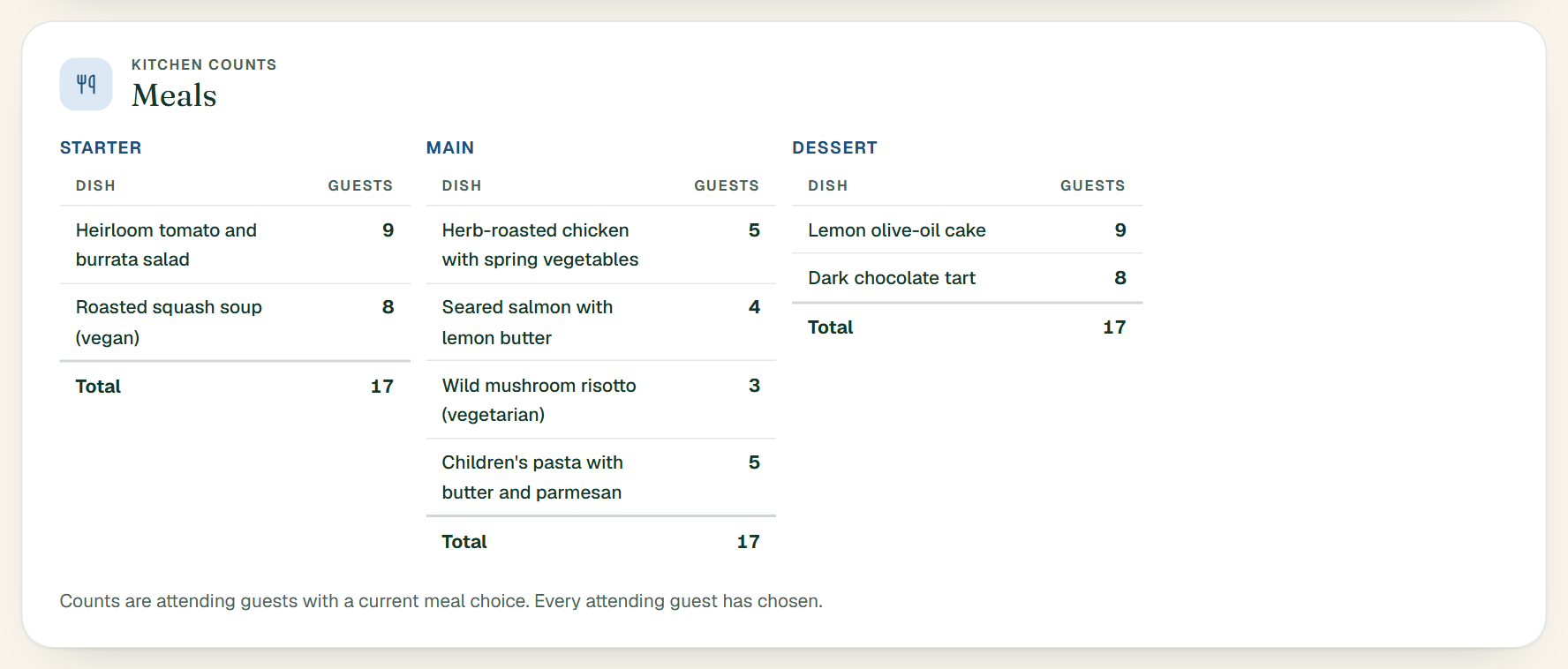
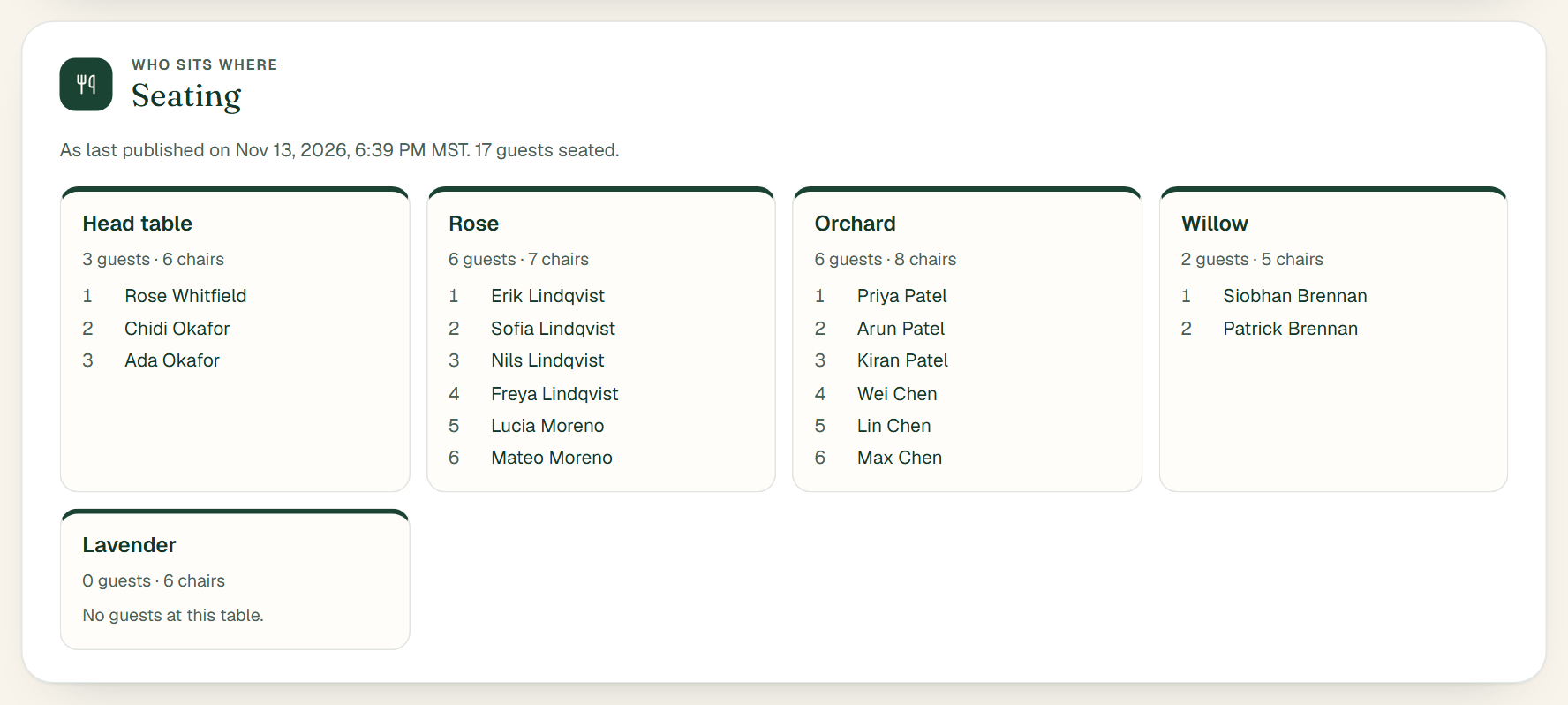
From the day sheet of the made-up wedding. All names are invented.
Looks like your venue
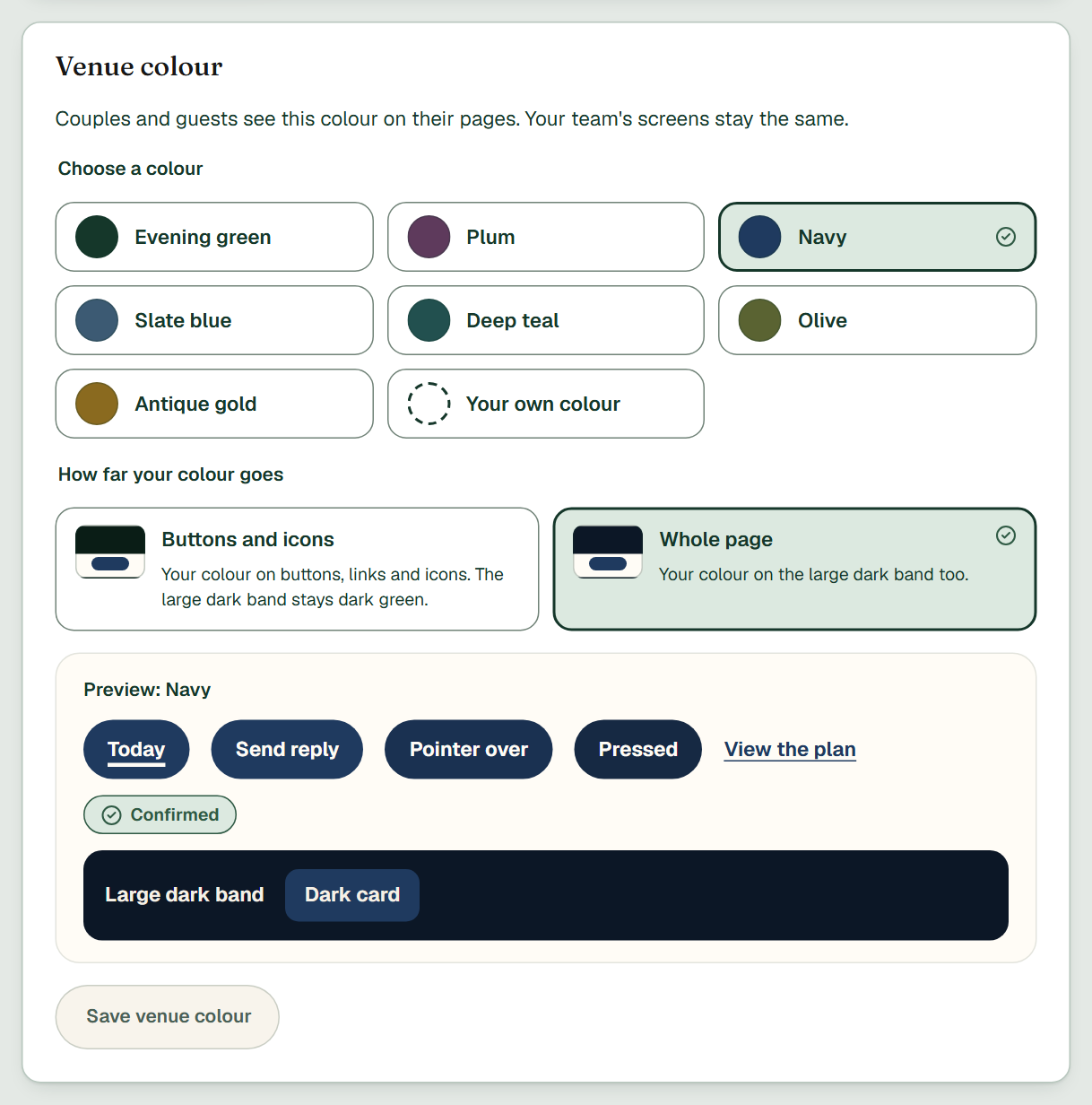
Couples and guests see your logo and your colour on their pages. Choose a ready-made colour or use your own.
Where Honeydo is today
We would rather tell you straight. Honeydo is not open to everyone yet, and what you see on this page is a made-up wedding.
The venue workspace, the couple’s link and the guests’ link all work together.
We are testing it with made-up weddings before any real couple touches it.
We are inviting a few venues to see it first and tell us what their team needs.
Who is behind it
Honeydo comes from Funbun Productions, a husband-and-wife studio in Phoenix, Arizona.
It started on the venue side of the phone: the calls, the email threads, the retyping. Honeydo is the tool we wished the venue had.
Questions
Not yet. Honeydo is built and in testing. We are inviting a few early venues in Arizona to see it first. Book a demo and we will show you where it stands.
We have not set prices yet. Early venues will be the first to hear, and nothing on this page asks you to pay for anything.
No. Each couple gets a private link from your team. They open it and start.
Their guest list, their invitations, their event details, their messages and their documents. Your team still sets the menu, the plan and the seating.
Each guest gets their own link. They say if they are coming, choose their meals and see their table. They also see how to find your venue.
Their pages carry your venue’s logo and your colour. You choose both in your settings.
Only your team. The couple and their guests never see team notes.
We walk you through a made-up wedding, from setting it up to the day sheet, and answer your questions. Then you tell us how your venue works.
Ready when you are
See a whole wedding planned in Honeydo, from the first setup to the day sheet.
Book a demoIt opens an email to us. Tell us your venue’s name and a good time to talk.